Local LLM optimization guide for mobile device usage
"Every year millions of electrical and electronic devices are discarded..."
Local LLM optimization requires tailoring model weights and quantization levels to the specific constraints of your hardware.
This guide helps developers manage computational limits by evaluating mobile versus desktop environments and recognizing that current sorting facilities are still not 100% effective in separating materials.
* Analyze mobile vs. desktop usage trends * Implement quantization for low-memory devices * Monitor energy efficiency during model execution * Evaluate hardware-specific performance benchmarks
How to approach Local LLM optimization?

At midnight in the dim study, you tighten your grip on the mouse while observing the local model's memory usage on the screen.
A developer sits in a quiet room, watching a progress bar move slowly across a high-end monitor while a heavy model loads into the GPU. They must decide whether to use a massive parameter count or a highly compressed version to ensure the machine does not freeze.
Local LLM optimization involves adjusting the precision of the model to fit within the available RAM and processing power of a specific device. Choosing the right method depends on whether you are deploying on a high-performance workstation or a constrained mobile device.
You must balance the trade-off between model intelligence and response speed to achieve the best user experience.
- Quantize the model weights to reduce memory usage.
- Select an inference engine optimized for your specific hardware.
- Adjust the context window size to balance speed and memory.
Is there a difference between mobile and desktop hardware?
A technician taps a smartphone screen, noticing the device warms up slightly as it processes a complex query. They compare the speed of this small device to a large desktop tower sitting nearby on a sturdy wooden desk.
Hardware requirements vary significantly depending on the platform. StatCounter in October 2016 analyzed 2.5 million websites and found that 51.3% of the pages were loaded by a mobile device.
This explosion in the mobile market means that optimizing local models for mobile hardware is becoming essential. Device LLM tuning must prioritize memory efficiency because mobile users expect instant feedback without excessive heat.
In this comparison, the desktop configuration is significantly more powerful.
What is the best way to manage resource limits?
At dawn in the dim lab, you squint at the screen while adjusting the local settings to control the system temperature.

An engineer adjusts the settings in a terminal window, watching the system memory usage fluctuate as they apply new quantization parameters. They carefully monitor the temperature of the laptop casing to ensure the hardware remains stable during long inference sessions.
To manage limited resources effectively, you should follow these steps:
- Apply 4-bit or 8-bit quantization to reduce the model size. 2. Offload specific layers to the GPU if available to accelerate processing. 3. Use a smaller context window to save memory during long conversations.
I find that applying these steps helps maintain stability during testing. It is important to remember that sorting facilities are still not 100% effective in separating materials, which is a limitation to keep in mind when considering the lifecycle of the hardware used for these tasks.
How do different hardware configurations compare?
A researcher compares two different laptops on a laboratory bench, noting how one handles a large model while the other struggles. They record the time taken for each response to provide a clear comparison of performance.
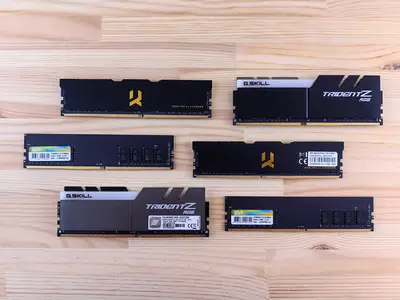
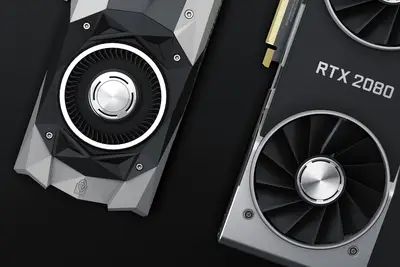
When selecting hardware, you must consider the specific architecture of the processor and the amount of dedicated video memory.
| Hardware Type | Primary Constraint | Optimization Goal |
|---|---|---|
| Mobile Device | RAM and Heat | High Compression |
| Desktop PC | Power and Cooling | High Precision |
Can I use LLM for different gear effectively?
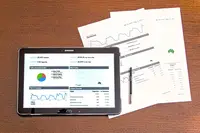
A programmer tests a new model on a tablet, noticing how the interface responds to the text generation. They move the device from the desk to the sofa to see how the performance holds up in a different setting.
Implementing an LLM for different gear requires a nuanced understanding of how each device interacts with the model. Mobile hardware demands extreme efficiency due to thermal limits, while desktop environments allow for more complex tasks.
Hardware LLM strategy must account for the fact that some devices simply cannot run full-precision models without significant latency.
Is efficiency important for local deployment?

A scientist monitors the power consumption of a server rack, observing the energy drawn during heavy computational loads. They consider the environmental impact of running large-scale local models continuously.
According to the WHO (2023), "Every year millions of electrical and electronic devices are discarded ..."
Efficiency is a core component of hardware LLM strategy. While local deployment offers privacy, it also places a direct load on the user's electricity and hardware lifespan. Optimizing local models ensures that the user does not waste significant energy or cause unnecessary wear on their components.
This part also covers Best LLM for weak hardware.
This part also covers Model performance by device.
Best LLM for weak hardware
Related
What are the inherent limitations of LLM deployment?
- The choice of quantization level dictates the model's fidelity against its operational footprint. 2. The context window size sets the boundary for conversational depth before memory stress increases. 3. The inference engine must align with the underlying processor capabilities to avoid bottlenecks.
The developer must always consider the thermal envelope of the hardware when making deployment decisions. If the system cannot dissipate heat effectively, performance degrades regardless of the model's initial parameter count.
How does hardware impact model selection?
The processor architecture determines which computational operations execute fastest on the device. For instance, a mobile device's limited RAM necessitates aggressive weight reduction techniques. A desktop PC, conversely, allows for the use of larger models because of its greater available power.
The comparison between mobile and desktop usage trends shows that the constraints of the smaller device drive the need for extreme optimization. Every year millions of electrical and electronic devices are discarded, highlighting the importance of extending component life through careful software tuning.
When evaluating hardware-specific performance benchmarks, one must account for the memory bandwidth available on the platform. A slow memory bus can negate the benefits of a powerful CPU or GPU, making the choice of inference engine critical.




Comments 0