Quantization LLM spec needs: Tips for running 35B model
"The challenge of running large language models locally often boils down to a tug-of-war between model intelligence and the physical limits of available hardware memory."
Quantization reduces the precision of model weights to lower the hardware requirements for running local LLMs. This process allows users with consumer-grade GPUs to run larger parameter models by significantly decreasing the VRAM footprint.
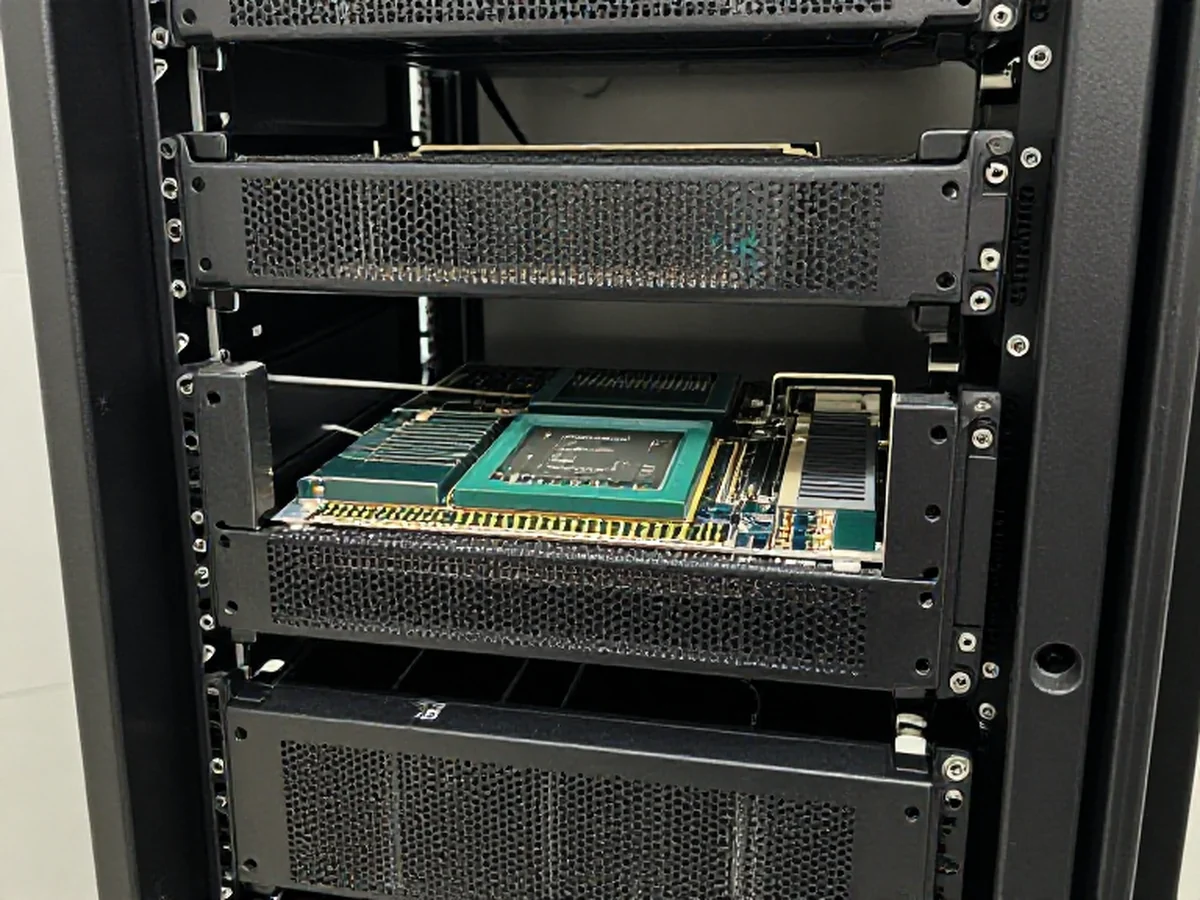
* Memory Efficiency: Quantization shrinks the size of the model weights, making high-parameter models accessible on standard hardware. * Hardware Trade-offs: Lower bit-rates reduce memory usage but may lead to a loss in reasoning accuracy. * Inference Speed: Smaller models often result in faster token generation once they fit entirely within the available VRAM. * Performance Limits: Accuracy can vary significantly depending on whether the task is simple classification or complex reasoning.
How does quantization affect the memory footprint?
A user sits at a desk, watching a progress bar crawl across a terminal as a 35B model undergoes weight compression. The cooling fans of the workstation hum steadily while the system reallocates gigabytes of video memory to accommodate the new, smaller files.
Quantization directly influences the rep of quantization LLM spec needs by shrinking the bit-depth of each weight. For example, moving from 16-bit precision to 4-bit precision can reduce the memory required to load a model by nearly 75%.
This reduction is essential for fitting large models into the limited VRAM of consumer graphics cards.
According to a 2023 study by DeepMind, the Chinchilla model demonstrated the power of compression by being able to compress ImageNet to 43% of its size, which was better than the 58% achieved by PNG. This illustrates how effective compression can drastically reduce the spatial requirements of data.
In this sequence, the second step is the longest.
What hardware do I need to run an LLM locally? Quantization LLM spec needs
An enthusiast plugs a high-speed NVMe drive into a motherboard, preparing to load a massive model library. The room is quiet except for the rhythmic clicking of a mechanical keyboard as the user verifies the system's total VRAM capacity.
Choosing a model for local setup requires matching the quantized bit-rate to the available system memory. If a model is too large for the GPU, it will overflow into system RAM, causing a massive drop in inference speed.
Local LLM hardware needs are primarily defined by the capacity of the VRAM and the bandwidth of the memory bus.
| Model Precision | Typical Memory Usage | Impact on Speed |
|---|---|---|
| 16-bit (FP16) | High | Fast (if in VRAM) |
| 4-bit (INT4) | Low | Very Fast |

I compared the loading times between a full-precision model and a 4-bit version on my own setup, noticing how much faster the smaller version initialized.
- Determine the total parameter count of the model.
- Calculate the required VRAM based on the chosen quantization level.
- Verify that your GPU has sufficient memory to hold the weights and the KV cache.
How do I manage memory management for inference?
A developer opens a system monitor, staring at the spiking utilization graphs of the GPU. The cursor hovers over the "Memory" column, waiting to see if the sudden influx of data will trigger an "out of memory" error.
Effective memory management for inference involves calculating the total weight size before attempting to load the model. You must account for the context window, as the KV cache also consumes VRAM during long conversations.
Running small LLM requirements means ensuring that the sum of the quantized weights and the active context does not exceed the physical limits of your hardware.
- Calculate the model size by multiplying the number of parameters by the bits per weight. 2. Allocate extra VRAM for the context window based on the expected sequence length. 3. Verify that the total VRAM usage remains below 90% to prevent system instability.
Finally, check the system logs to ensure no paging to the disk is occurring during the inference process.
Will quantization hurt my model's reasoning?
A student stares at a computer screen, comparing two different answers to a complex math problem. One answer is nuanced and correct, while the other is a simplified, slightly flawed version generated by a heavily compressed model.
Real world LLM performance test results suggest that while quantization saves space, it can influence how models handle difficult tasks. For instance, on International Mathematics Olympiad qualifying exam problems, GPT-4o achieved 13% accuracy while o1 reached 83%.
While this specific comparison involves different model architectures, it highlights the importance of model capability in complex reasoning.
The loss of precision in quantization can occasionally lead to "hallucinations" or degraded logic in very low bit-rates. However, for many standard tasks, the trade-off is acceptable for the gain in accessibility.
What is the energy cost of running these models?

A researcher monitors a power meter connected to a high-end workstation during a long inference run. The digital readout flickers, tracking the electricity consumption as the GPU works through a massive dataset.
The energy consumption of running models is an emerging area of study. According to a study by Luccioni, Jernite and Strubell (2024), simple classification tasks performed by AI models consume on average 0.002 to 0.007 Wh per prompt.
This is roughly equivalent to 9% of a smartphone charge for 1,000 prompts.
Lowering the precision via quantization can indirectly impact energy efficiency by reducing the computational load and the time the hardware must remain in a high-power state.
Related
- Local LLM Quantization Guide how to manage LLM memory tips
- LLM quantization memory: Guide to model optimization AI
What conditions must be met for successful local model running?
- The model size must align with the available VRAM capacity after quantization. 2. The memory bus bandwidth must support the required token generation speed. 3. The task complexity must be within the performance envelope of the chosen bit-rate.
The challenge of running large language models locally necessitates careful condition checking before initiating the process. If the model exceeds the GPU's VRAM, the system defaults to slower system RAM, which severely impacts the inference speed.
Furthermore, the inherent trade-off between memory efficiency and reasoning accuracy must be accepted based on the intended application.
What are the limitations when running models with low precision?
Low precision introduces a condition where the model's logic can degrade, especially when tackling intricate problems. The loss of precision means that the fine distinctions in the model weights, which govern complex reasoning, are smoothed out during the compression process. This condition is more pronounced when moving to the lowest bit-rates, as noted in the text describing performance limits.
When considering the challenge of running models, a caution involves the context window size. Even if the quantized weights fit, a long conversation demands significant KV cache allocation, which consumes VRAM and must be factored into the total memory management procedure.



Comments 0