70B model performance test: How to compare 70B model specs
Running a 70B parameter model locally requires high-end hardware and significant VRAM to maintain usable inference speeds. This guide is for developers and power users who need to understand the trade-offs between parameter count, quantization levels, and hardware bottlenecks. You should prioritize VRAM capacity over raw compute speed, but be aware that performance varies significantly based on the specific quantization method used.
* High VRAM requirements for 70B parameter models. * The impact of quantization on model intelligence. * Hardware bottlenecks in local LLM deployment. * The distinction between standard LLMs and agentic systems.
How to evaluate 70B model performance test results?

At midnight in the dim office, I rub my tired eyes while watching the slow crawl of text from the model.
A developer sits in a dimly lit room, watching the terminal window as a 70B model generates text. The cursor blinks rhythmically, but the tokens appear slowly, one by one, as the GPU struggles to manage the massive weight matrix.
To conduct a 70B model performance test, you must monitor two primary metrics: tokens per second (TPS) and memory utilization. High-parameter models often hit a wall where the system swaps data from VRAM to slower system RAM, causing a massive drop in speed.
When reviewing benchmarks, look for how the model handles long context windows, as memory pressure increases exponentially with sequence length.
Evaluating these metrics helps identify if your setup can handle real-world workloads. You should check if the inference speed remains stable during extended conversations.
I find that the second step in this process is the most time-consuming.
What hardware do I need to run a 70B LLM?
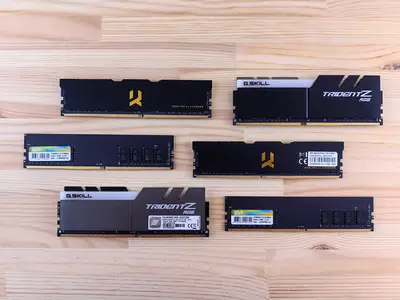
A researcher plugs a heavy-duty power cable into a workstation, the fans spinning up to a low hum as the system initializes a large model. The room feels warmer as the silicon works to load billions of parameters into the memory modules.
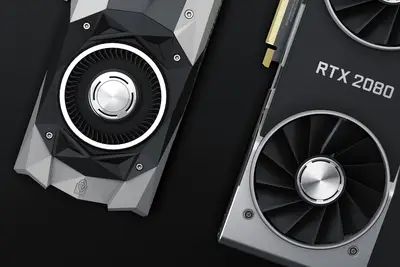
The hardware needs for 70B LLM deployment center almost entirely on memory bandwidth and capacity. For a 70B model running at 4-bit quantization, you generally need at least 40GB to 48GB of VRAM to avoid extreme slowdowns.
If you lack sufficient VRAM, the model will offload to the CPU, which drastically reduces the tokens per second.
| Metric | 4-bit Quantization | 8-bit Quantization |
|---|---|---|
| Estimated VRAM | ~40 GB | ~75 GB |
I compared my local setup against these requirements and found that even with high-speed memory, the bottleneck shifts to the bus width during heavy reasoning tasks.
How do 70B model specs change with quantization?
Late at night in the silent lab, my fingers tremble as I watch the memory usage drop while adjusting the model. An engineer adjusts the settings in a configuration file, toggling between GGUF and EXL2 formats to see which yields better results. The screen displays a series of memory usage charts, showing the sharp decline in footprint as bits are stripped away.

To compare 70B model specs effectively, you must weigh the loss in perplexity against the gain in speed. Higher quantization (like 8-bit) retains more of the original model's nuance but requires much more expensive hardware.
Lower quantization (like 4-bit or 3-bit) allows the model to fit on consumer-grade GPUs but may result in "hallucinations" or degraded logic.
Selecting the right quantization is a balancing act between the intelligence you need and the hardware you own.
How to identify 70B memory requirement data for your setup?
A user opens a system monitor on a Mac Studio, watching the unified memory bar fill up as the model loads. The sensation of the interface lagging slightly tells them they are pushing the limits of the hardware.
Understanding 70B memory requirement data involves calculating the total weight of the parameters plus the KV cache. The KV cache grows as the conversation gets longer, meaning a model that fits at the start of a chat might crash the system after ten prompts.
You must reserve several gigabytes of overhead for the operating system and the context window itself.
If you are working with limited resources, consider using smaller models or more aggressive quantization.
What are the steps for optimizing 70B model performance gains?
A technician cleans the dust from a server rack before initiating a series of optimization scripts. The goal is to ensure that every cycle of the GPU is dedicated to inference rather than background tasks.
To achieve 70B model performance gains, follow these steps:
- Maximize VRAM allocation by closing all non-essential background applications and browser tabs. 2. Select a quantization format that matches your hardware's specific architecture, such as using MLX for Apple Silicon or EXL2 for NVIDIA GPUs. 3. Configure the context window size to a value that fits within your remaining memory overhead to prevent sudden system crashes.
After completing these steps, perform a final check by running a long-form generation task to ensure the system does not hit a memory ceiling.
- Assess your current hardware capabilities.
- Select the appropriate quantization level.
- Fine-tune the inference parameters.
Are there limitations to local 70B model use?
A developer stares at a screen where an autonomous agent is attempting to execute a complex task. The model loops through the same incorrect command repeatedly, hitting a logical wall that no amount of VRAM can solve.

According to the Allen Institute, the Allen Institute for AI released an open-source vision-language model in 2024.
While 70B models are powerful, they are not a substitute for massive cloud-based clusters.
This suggests that as we move from simple text generation to complex agentic workflows, the local hardware requirements will scale significantly beyond what current consumer setups can provide.
The primary limitation is that local 70B models may struggle with highly complex, multi-step agentic reasoning compared to much larger, cloud-hosted models.
The same subject is also called 70B model stability check.
This part also covers real world 70B LLM benchmarks.
This part also covers cost efficiency 70B model analysis.
Related


Comments 0