Quantization guide 4 model choice best tips
Selecting the right quantization technique requires balancing the specific constraints of your hardware against the required accuracy of the model. You must evaluate how much precision loss you can tolerate to fit a model into your available VRAM or system memory.
Choosing a quantization scheme involves assessing memory bandwidth, bit-depth requirements, and the specific architecture of your local LLM setup. This guide focuses on how to align these technical variables to ensure smooth local execution.
* Assess Memory Capacity: Determine the total VRAM or unified memory available on your Mac or PC. * * Match Format to Hardware: Use GGUF for CPU/GPU hybrid setups or MLX for Apple Silicon optimization. * Monitor Performance Trade-offs: Watch for the intersection where model intelligence drops significantly due to aggressive compression.
How to manage quantization technique selection?

At midnight in my dim office, I rub my tired eyes while pondering the complex quantization technique selection displayed on my monitor.
I sit at my desk, staring at a terminal window as a large language model begins its loading sequence. The progress bar crawls across the screen, reflecting the heavy lifting of moving compressed weights into the memory chips.
According to the Coding Library, the QccPack is an open source Quantization, Compression, and Coding Library that includes VQ Indexes for compression and information hiding using hybrid lossless index coding.
Selecting a quantization technique is not just about making a model smaller; it is about deciding which parts of the model's original intelligence are worth keeping.
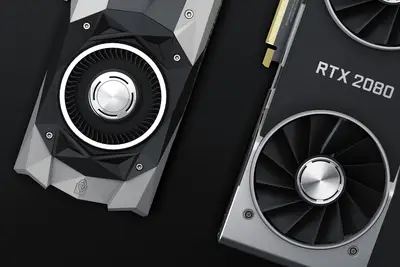
Quantization technique selection involves mapping high-precision floating-point weights to lower-precision formats to save space. This process is essential for running large models on consumer-grade hardware like an NVIDIA RTX card or an Apple M-series chip.
When you choose a method, you are essentially deciding how much "noise" you can introduce into the mathematical representations of the model's knowledge.
Effective quantization technique selection requires understanding the relationship between bit-depth and perplexity. While reducing bits lowers the memory footprint, it can also degrade the model's ability to follow complex instructions.
You must find the "sweet spot" where the model remains coherent enough for your specific use case, whether that is coding or creative writing.
I find that the second step is the most time-consuming.
What is the hardware performance impact?
I watch the fan on my workstation spin up as the GPU temperature rises during a heavy inference session. The hardware performance impact becomes immediately visible when the model exceeds the available VRAM and begins swapping to system RAM.
This transition often results in a massive drop in tokens per second, turning a fluid conversation into a stuttering crawl.
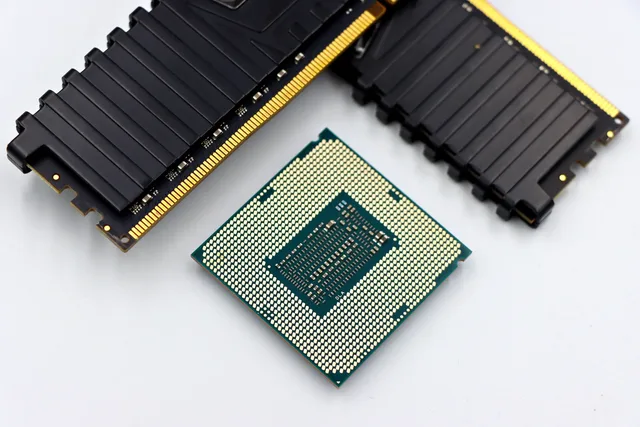
The hardware performance impact is largely dictated by memory bandwidth and the efficiency of the quantization format. For instance, formats optimized for specific architectures, like MLX for Mac, utilize unified memory more effectively than generic formats.
If the quantization method is not well-supported by your specific GPU kernels, the computational overhead of dequantizing weights on the fly can actually slow down the entire process.
Resource management in AI depends on how well the quantized weights interact with the memory controller. A model that is too large for the VRAM will force the system to use much slower memory lanes, causing a bottleneck.
Understanding this impact helps you decide if a smaller, highly quantized model will actually run faster and more reliably than a larger, unquantized one.
How to handle model performance trade off?
I adjust the settings in my local LLM runner, toggling between a 4-bit and an 8-bit version of the same model. As I switch, I notice the 4-bit version responds instantly but occasionally misses the nuance of my prompts.
This is the classic model performance trade off in action: speed and size versus linguistic precision.
A model performance trade off occurs when the compression level reaches a point where the mathematical errors in the weights lead to hallucinations or logical failures.
Lowering the bits reduces the memory required for the model weights, which can free up space for a larger KV cache, allowing for longer context windows. However, if the bits are too low, the model may lose its ability to maintain a coherent thought process over long sequences.
When benchmarking quantization methods, users often look for the point of diminishing returns. For many local LLM enthusiasts, 4-bit quantization serves as a standard because it offers a significant reduction in size while maintaining a high level of functional intelligence.
Beyond this point, the loss in accuracy often outweighs the benefits of the extra saved memory.
Can I use real data model comparison?

I open a spreadsheet filled with rows of tokens per second and perplexity scores, comparing different quantization levels side by side. Performing a real data model comparison is the only way to move past guesswork and into predictable local deployment.
I look at how each bit-depth affects the actual speed of the model on my specific hardware.
Real data model comparison allows you to see the exact cost of compression. By measuring the tokens per second across different quantization levels, you can identify which method provides the best throughput for your hardware.
This data-driven approach ensures that you do not sacrifice too much intelligence for a speed boost that might not actually be perceptible in real-world use.
| Quantization Level | Typical Memory Usage | Intelligence Retention |
|---|---|---|
| 8-bit | High | Very High |
| 4-bit | Low | Moderate to High |
Selecting best quantization scheme involves looking at these metrics together. A high-speed 4-bit model might be better for a chatbot, while an 8-bit model might be necessary for a coding assistant where precision is paramount.
How to implement a quantization guide?
I prepare a new environment, clearing out old model files to make room for a fresh installation. Following a quantization guide helps prevent the common mistake of downloading a model that is simply too heavy for the local machine.
I follow a structured approach to ensure the model runs optimally from the first prompt.
- Identify Hardware Limits: Check your total available VRAM or unified memory and subtract at least 2GB to allow for the operating system and other applications. 2. Select Format and Bit-Depth: Choose a format like GGUF for versatility or MLX for Mac, and pick a bit-depth (e.g., 4-bit or 6-bit) that fits within your calculated memory ceiling. 3. Download and Test: Load the model and run a standard benchmark or a complex prompt to check for both speed and logical coherence.

After completing these steps, perform a final check by running a long-context conversation to see if the model maintains its logic as the memory usage climbs. This ensures that the quantization choice is stable for your intended workload.
- Select the target precision level.
- Run the quantization calibration process.
- Validate the output against the baseline model.
What are the limitations of this method?
I notice that even with the best quantization, the model still struggles with extremely niche technical jargon that was lost during the compression process. This limitation is inherent to the nature of vector quantization and weight reduction.
A significant limitation is that quantization cannot recover information that was lost during the original compression. According to Wikipedia, vector quantization involves mapping vectors to a set of codebook indices, which inherently involves a loss of detail.
If a model's weights are compressed too aggressively, the specific nuances required for highly specialized tasks may be permanently diminished.
Related



Comments 0